




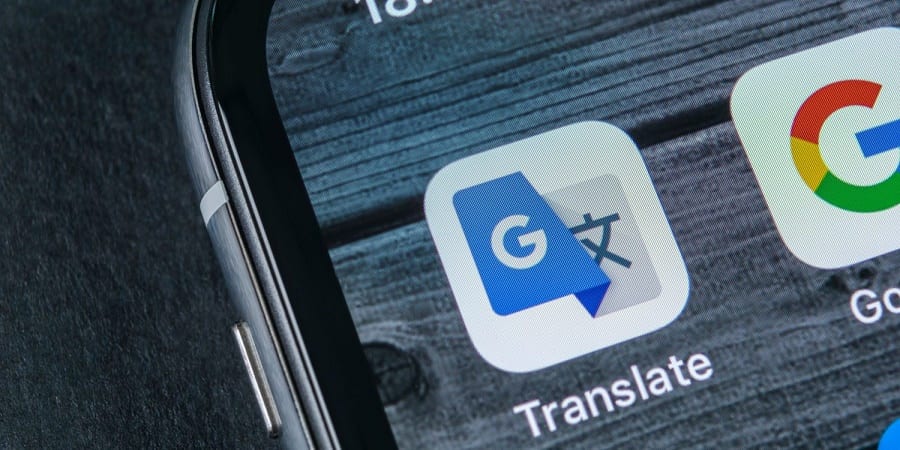
Short answer: Google Translate is the fastest, free way to translate Spanish to English right now, SpanishDict is the better pick if you’re actually trying to learn Spanish (not just get through one conversation), and WordReference wins when a literal translation gives you the wrong word for the region you’re in. We tested all five apps below side by side (accuracy, price, offline access, and pronunciation tools), so you can pick the right one instead of downloading all five out of frustration.
Quick picks:
- Fastest / free: Google Translate. Camera, voice, and conversation mode
- Most accurate for tricky phrases: Yandex Translate. Adjusts translation as you type
- Best for learners: SpanishDict. Conjugation charts, example sentences, word of the day
- Best for regional/slang accuracy: WordReference. Forums cover Spain vs. Latin American usage
- Best for travel phrasebooks: iTranslate. Save and log the phrases you use most
In this article
What Is the Best Translation App for Spanish?
There isn’t one app that wins every category. That’s the honest answer, and it’s why this list has five entries instead of one. Google Translate is the default because it’s free, fast, and handles voice, text, and camera translation in one place. But “fast” and “correct” aren’t the same thing: machine translation still struggles with idioms, regional slang, and verbs like saber and conocer that both translate to “to know” in English but mean very different things in Spanish. If you want to understand why that distinction trips up translation apps constantly, our breakdown of the difference between saber and conocer is worth five minutes.
Here’s how the five apps stack up when you put them side by side.
| App | Best For | Price | Offline Access | Voice / Pronunciation |
|---|---|---|---|---|
| Google Translate | Fast, everyday translation | Free | Downloadable language packs, Spanish included | Live Translate (continuous audio) in 70+ languages |
| Yandex Translate | Context-aware accuracy | Free | Spanish included in offline pack | Photo and text translation strong; voice input more limited |
| SpanishDict | Learning Spanish, not just translating it | Free, Premium $12.99/mo or $59.99/yr | Limited, offline vocabulary quizzes on iOS (Premium) | Voice translation and speaking exercises (Premium) |
| WordReference | Regional word meanings and slang | Free | No | No built-in pronunciation trainer |
| iTranslate | Travel phrasebooks | Free; Pro subscription (price varies by platform and region) | 41 languages text, 5 languages voice (Pro) | Voice recognition + saved phrase log |
The 5 Best Spanish Translation Apps, Reviewed
1. Google Translate
Google Translate is the default for a reason: it’s genuinely simple to use, and it covers text, voice, photo, and real-time conversation translation in one free app. Point your camera at a menu or street sign and it overlays the English translation directly on the image, useful the second you land in Málaga or Buenos Aires and can’t read anything around you. Conversation mode listens to both speakers, figures out which language is which, and shows the translation for each side, now covering more than 70 languages. Offline language packs mean you’re not stuck without data either.
The catch hasn’t changed: word-for-word and idiom translations still get mangled. “Estoy hasta las manos” doesn’t mean anything close to its literal words (in Argentina it means you’re either completely swamped or head over heels in love, depending on context), and Google Translate will sometimes hand you the literal version instead of the idiom’s real meaning.
Tip: If a Google Translate result sounds off or oddly formal, run the same phrase through WordReference’s forums: a native speaker has almost always already asked about it.
2. Yandex Translate
Yandex doesn’t have Google’s name recognition, but it’s a legitimately strong option for Spanish, supporting translation across more than 100 languages with photo, text, and real-time translation. Its standout feature is a context engine that adjusts the translation as you keep typing a sentence, rather than committing to a literal word-by-word result the moment you stop. For longer or more nuanced phrases, that often produces a more natural English (or Spanish) result than a purely literal tool. Voice input is more limited than Google’s. It’s strongest for text and photo translation, so treat it as a second opinion tool rather than your only app.
3. SpanishDict
SpanishDict is technically a dictionary first and a translator second, but that’s exactly why it belongs on this list. It’s the one built for people who are trying to actually learn the language, not just get through one exchange. Beyond translation, it gives you full conjugation charts for every tense and mood, real example sentences in context, a word of the day, and grammar lessons. The free version covers all of that with ads; Premium ($12.99/month, $39.99 for six months, or $59.99/year, with a 7-day free trial) removes the ads and adds a Writing Coach that checks your Spanish for errors, voice translation and speaking exercises, grammar cheat sheets, and offline vocabulary quizzes on iOS.
If you’ve been searching for a way to pick up one new Spanish word a day without downloading a separate flashcard app, SpanishDict’s word-of-the-day feature does that on its own.
4. WordReference
WordReference is the app to open when Google Translate gives you a word that’s technically correct but nobody actually says. It’s built around detailed dictionary entries rather than machine translation, with usage notes broken out by country, so you can see how a word is used in Spain versus Argentina versus Mexico, which matters more than most translation apps admit. Its user forums are the closest thing to asking a native speaker for free, the Spanish-English vocabulary board alone holds well over 700,000 threads and several million replies, so whatever you’re stuck on has almost certainly been argued out already. It’s not as feature-rich as SpanishDict and there’s no pronunciation trainer, but for pinning down the correct word, not just a correct word, it’s hard to beat.
Regional note: A translation app can tell you vos sabés is Argentine and tú sabes is used in Spain, but it usually can’t tell you when to use each one in conversation. Our guide to slang and colloquialisms in Spanish covers the kind of informal usage translation apps flatten out, and that’s the gap immersion, not an app, actually closes.
FREE RESOURCES
Free Spanish study pack
Printable study sheets from our teachers, plus one short email a week.
One email, then a short weekly tip. Unsubscribe any time.

5. iTranslate
iTranslate covers over 100 languages, fewer than Google Translate’s much broader range, but far more than you’ll ever need for Spanish. It earns its spot with one feature the others don’t emphasize: you can save and organize phrases you use often into a personal phrasebook, which is genuinely handy if you’re repeating the same handful of questions on a trip. The free version handles text translation; a Pro subscription (priced differently depending on your platform and region, with a 7-day free trial) unlocks offline packs (41 languages for text, 5 for voice), plus voice conversation and photo translation without ads. The offline voice list is short, so if you’re planning to rely on it without data, check that Spanish is covered before you go.
How Do You Translate Spanish to English Accurately?
No single app gets every sentence right, which is really the theme of this whole list. A short process catches most of the errors that make translations sound unnatural or just wrong:
- Get the fast version first with Google Translate: text, voice, or camera, whatever’s quickest.
- If the result sounds stiff, unnatural, or you’re not sure it’s right, run the same phrase through Yandex’s context engine for a second opinion.
- For a single word that seems off, check WordReference: the entry will usually show regional usage notes and forum discussion.
- If you’re translating something you’ll actually need to remember (not just get through once), look up the grammar behind it in SpanishDict so you understand why it’s built that way.
- Say it out loud using a voice-recognition feature (Google’s Live Translate, or SpanishDict’s voice translation), if the app understands you, a native speaker likely will too.
Note: Translation apps are trained on huge volumes of text, but they still don’t reliably catch tone, sarcasm, or context that depends on who’s speaking to whom. For anything important (a work email, a legal document, a conversation that actually matters), treat the app’s output as a first draft, not a final answer.
How Do You Translate a Single Spanish Word or Number?
Most translation searches aren’t full sentences at all. They’re one word you can’t place. For those, a dictionary beats a translation engine, because you want every possible meaning rather than the machine’s best guess at one.
- Single words: “account” is cuenta in almost every sense (a bank account, a bill in a restaurant, an online account), but relato when you mean an account of events. “According to” is según. WordReference lists each sense separately with example sentences, which is exactly why it’s on this list.
- Words that look like English: traduce is not an English word here. It’s the Spanish verb traducir, either “he/she translates” or the informal command “translate it”. If a Spanish word looks familiar but the sentence makes no sense, check whether it’s a conjugated verb before assuming it’s a false friend.
- Numbers: 15 in Spanish is quince; 425 is cuatrocientos veinticinco. Numbers are one area where translation apps are reliably correct in both directions, so Google Translate is fine here, just note that 21 through 29 join into one word (veintiuno, veinticinco) while 31 and up stay separate (treinta y uno).
Tired of translating everything in your head before you say it?
Small-group classes at our Málaga school get you responding in Spanish automatically, without the mental detour through English first, apps become a backup, not a crutch.
Can a Translation App Actually Teach You Spanish?
Partly. SpanishDict’s conjugation charts, example sentences, and speaking exercises are genuinely useful study tools, and WordReference’s forums teach you more about real usage than most textbooks do. But an app can only respond to what you already typed or said. It can’t hold a conversation, correct your accent in real time, or push you to use the subjunctive until it becomes automatic instead of something you have to translate on the fly. That’s the difference between a reference tool and actually studying the language, whether that’s through online Spanish classes or in-person immersion. If you’re working toward a formal certification like the DELE, the gap becomes obvious fast, our guide to the DELE exam in Málaga covers what that level of Spanish actually requires, and it’s well beyond what any app can get you to on its own.
Frequently Asked Questions About Spanish Translation Apps
What’s the best translation app for Spanish?
It depends on what you need. Google Translate is the best overall pick for speed and cost. It’s free and handles text, voice, and camera translation. SpanishDict is the better choice if you’re learning Spanish rather than translating one phrase and moving on. WordReference is best when you need the correct regional word, not just a technically accurate one.
What’s the best Spanish-English translation app for accuracy?
For straightforward phrases, Google Translate and Yandex are both reliable. For anything with idioms, slang, or regional variation, the kind of phrase that changes meaning between Spain and Argentina, WordReference’s dictionary entries and forums tend to outperform pure machine translation, because the answers come from native speakers rather than an algorithm alone.
How do I translate Spanish to English for free?
Google Translate, Yandex Translate, and WordReference are all free to use for translating Spanish to English, with no subscription required. Google Translate is the quickest for full sentences and conversations; WordReference is better for single words where you want to confirm the exact meaning.
How do I translate English to Spanish text or a full sentence?
The same apps work in both directions. Type or paste your English text into Google Translate, Yandex, or SpanishDict and select Spanish as the output language. For anything longer than a sentence or two, it’s worth reading the result back and checking it against WordReference if any single word looks unfamiliar or overly formal.
Is Google Translate accurate for Spanish?
For everyday vocabulary and simple sentences, yes. It’s generally reliable. It’s less consistent with idioms, regional slang, and phrases where word order changes the meaning. Treat it as a strong first pass rather than a final answer for anything you’re going to say out loud or send in writing to someone you want to make a good impression on.
What’s a good way to learn one new Spanish word a day?
SpanishDict’s word-of-the-day feature is built for exactly this and is free to use. Pairing it with WordReference (looking up how that word is actually used in a sentence, and in which countries), turns a flashcard-style habit into something that sticks.
Can a translation app help me learn Spanish, not just translate it?
To a point. SpanishDict’s conjugation charts, grammar lessons, and speaking exercises are genuinely useful for studying. What none of these apps can do is hold a real conversation with you, correct you mid-sentence, or force you to think in Spanish instead of translating in your head. That’s the part structured classes and immersion are built for.
Which app is best for Spanish slang, Argentina vs. Spain?
WordReference. Its dictionary entries flag regional usage directly, and its forums are full of native speakers explaining exactly when a word or expression is used in Argentina, Spain, Mexico, or elsewhere, including things like vos versus tú, which most translation apps won’t distinguish for you at all.
Ready to actually speak Spanish, not just translate it?
Join a small-group class in Buenos Aires and start using the language for real, with vos, lunfardo and all: the apps can stay on your phone as backup.